Forge
Files and Git, unified in one terminal.
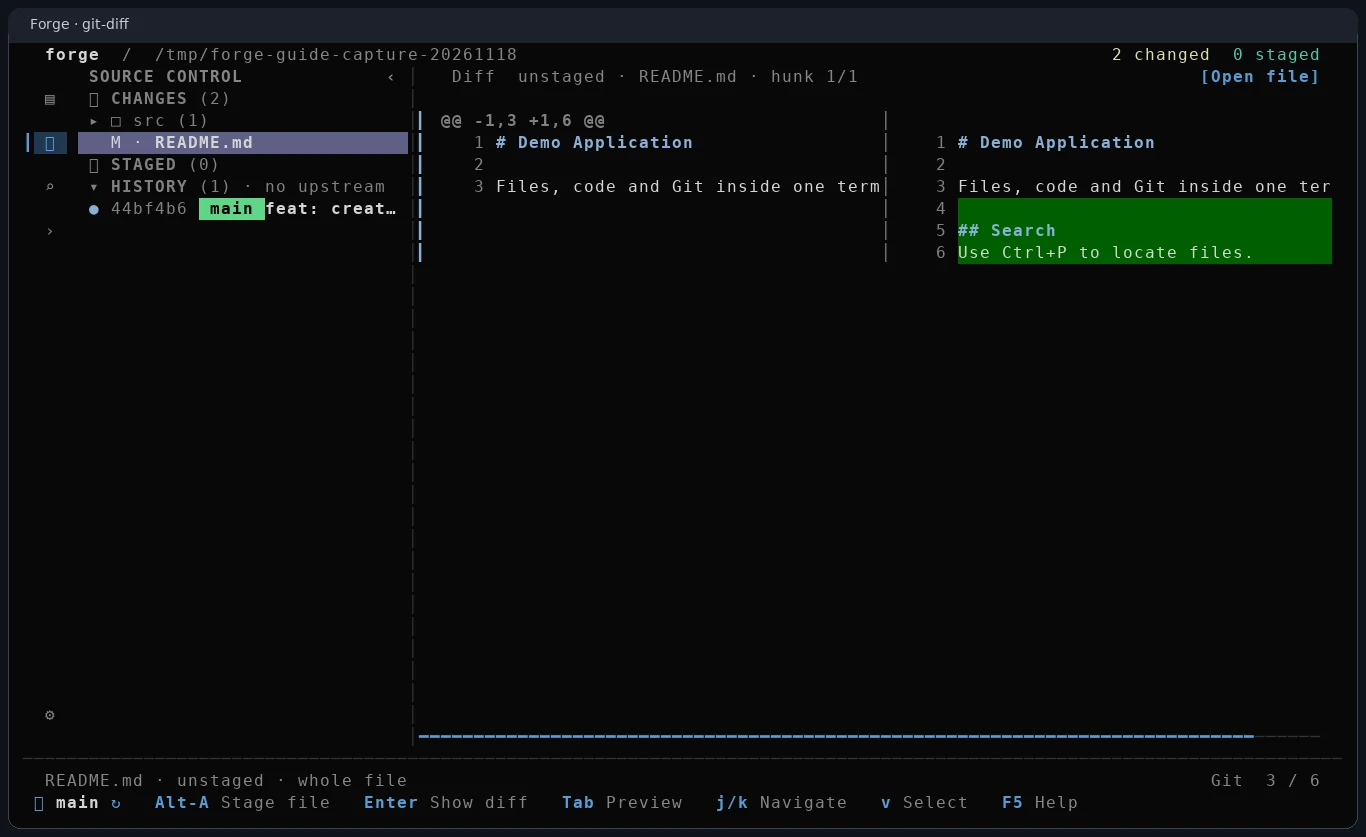
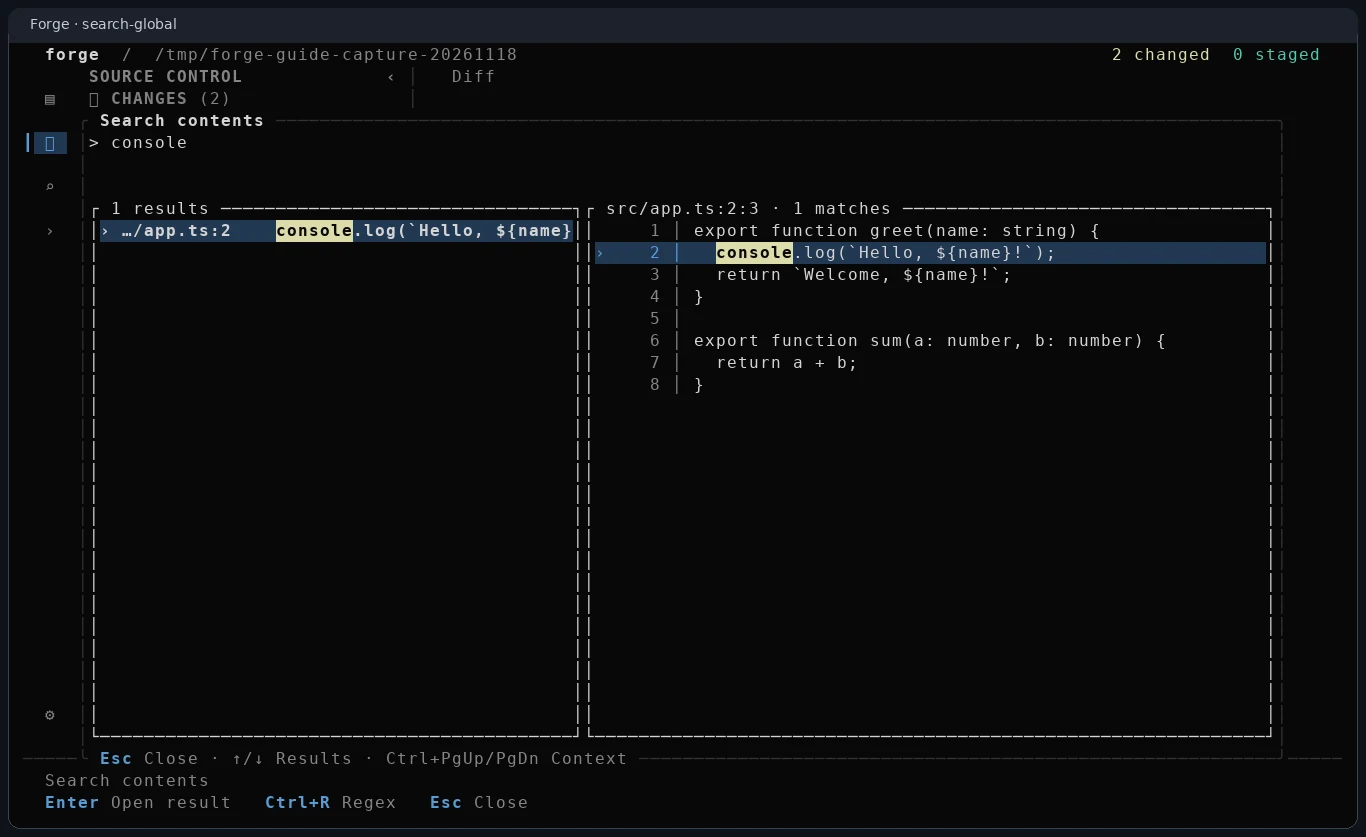
Browse project trees, inspect full-file diffs, search code, and run persistent shells in one lightweight workspace—built with full mouse control alongside keyboard speed.
curl -fsSL https://forge.runs-on.dev/install.sh | sh irm https://forge.runs-on.dev/install.txt | iex 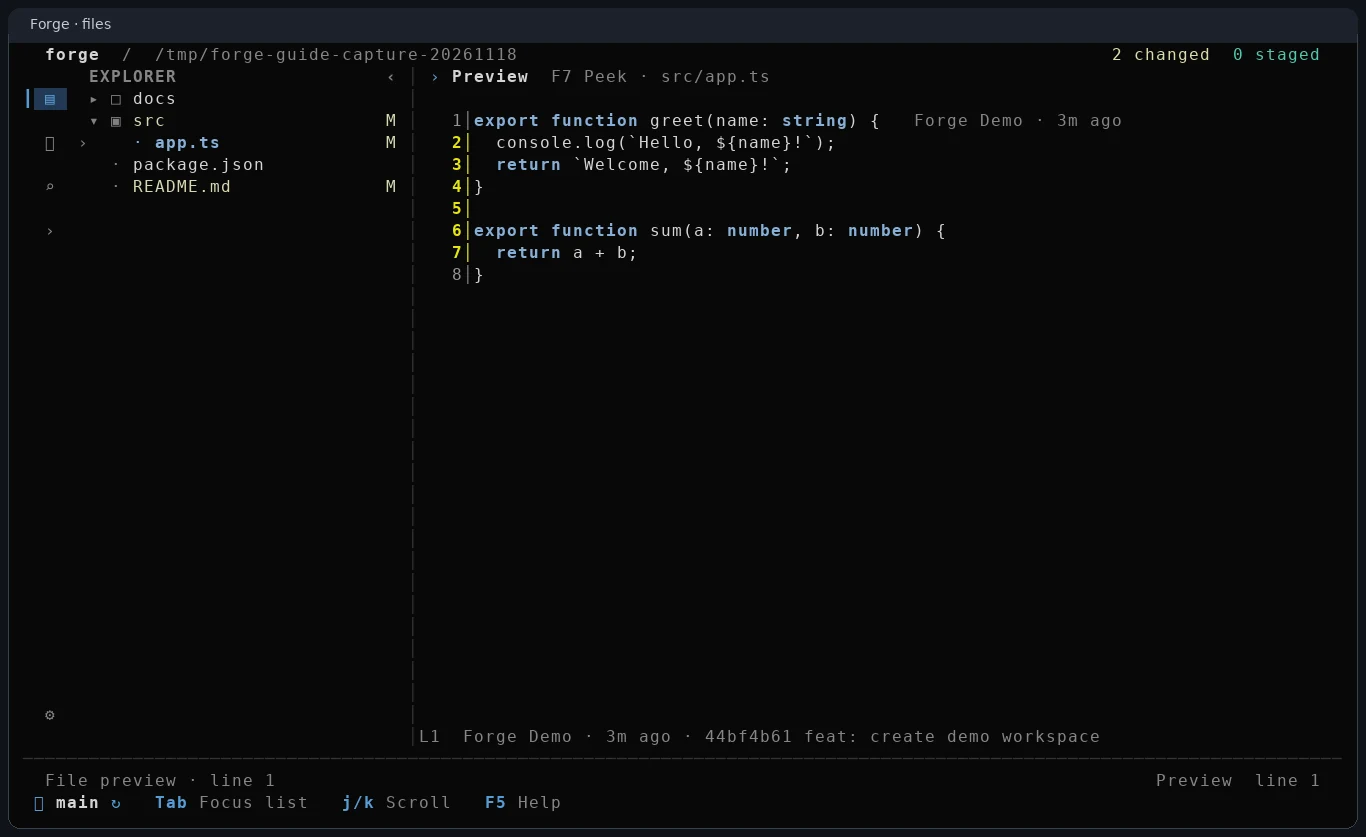
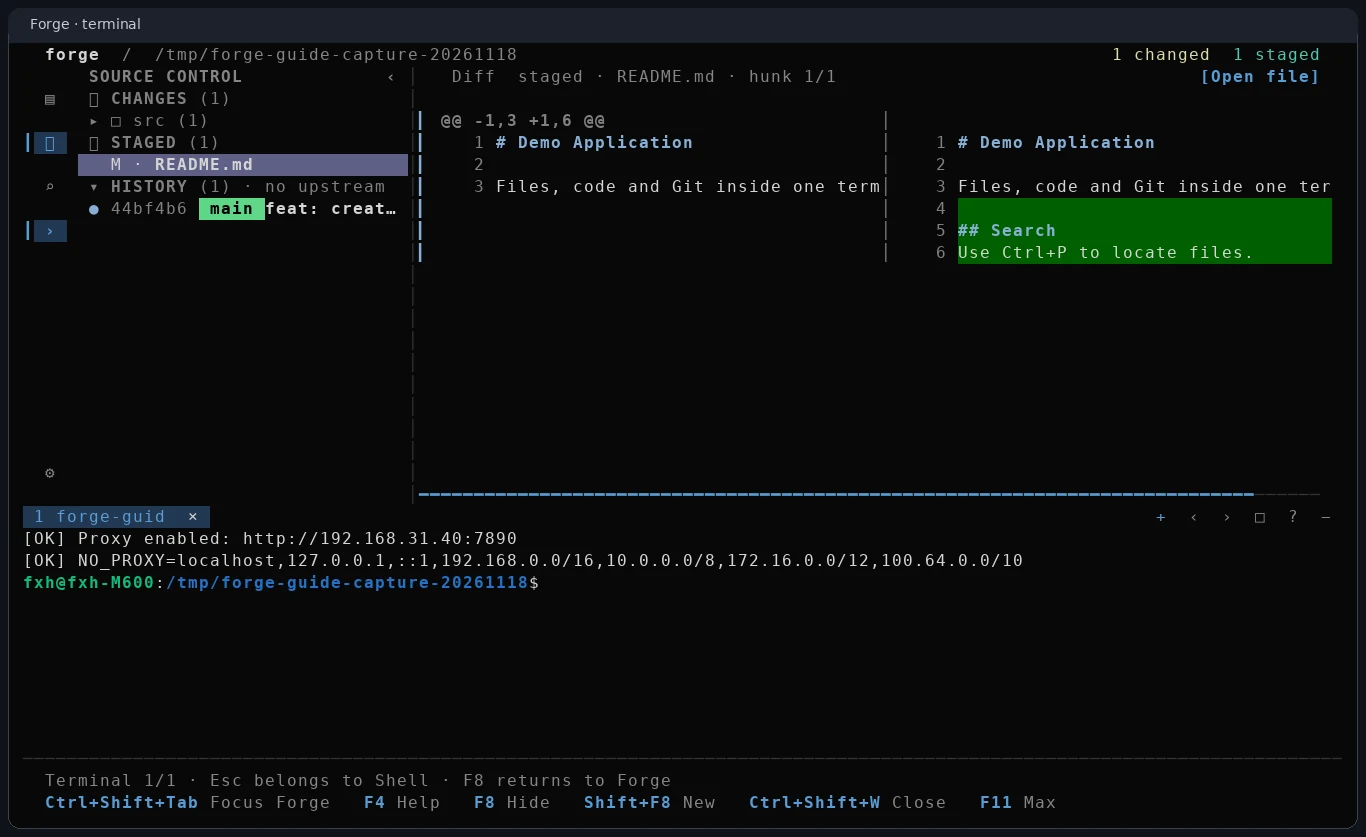
Zero runtime bloat. Instant terminal flow.
Forge skips embedded browsers and heavy background daemons, focusing purely on fast everyday file and Git operations. Sample figures below are reproducible local measurements.
Root listing ready
Idle memory (RSS)
Single binary
Measured on a local Release build with warm filesystem cache across 1,200 tracked files in a collapsed tree (median of 3 runs; RSS sampled at 0.5 s). Results vary by hardware and repository size.
Read benchmark methodSingle native executable
Compiled Rust binary with tree-sitter/Sublime syntax highlighting—no Electron, Node, or local web server.
On-demand workspace loading
Shallow directory watching, cancellable background jobs, and paged previews keep large repositories responsive.
Pointer + keyboard parity
Click, double-click, right-click menus, draggable splitters, scrollbars, and text selection work out of the box.
Connected file & Git loop
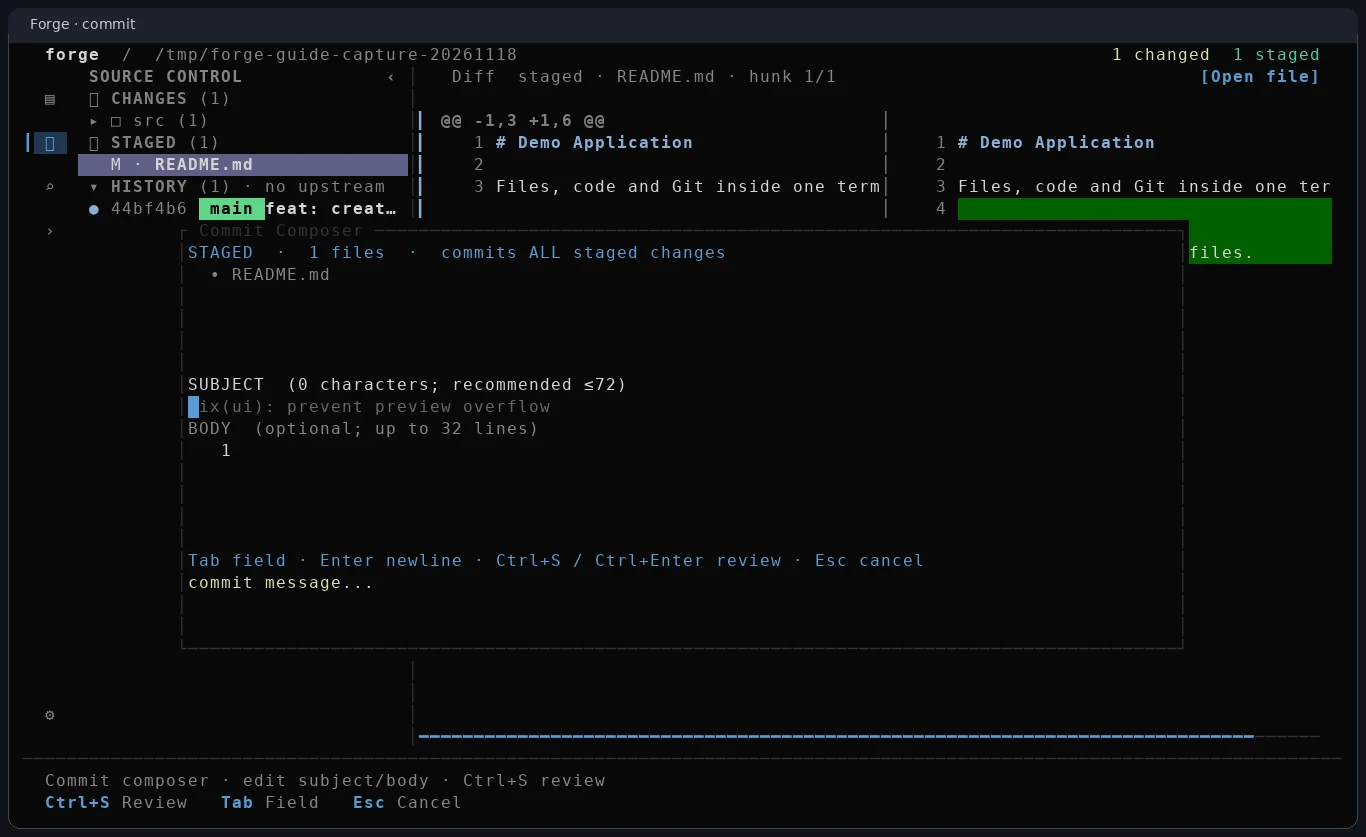
Move from file tree to side-by-side diffs, hunk staging, blame, stashes, and shell tabs without context switching.
Keyboard-first never meant mouse-hostile.
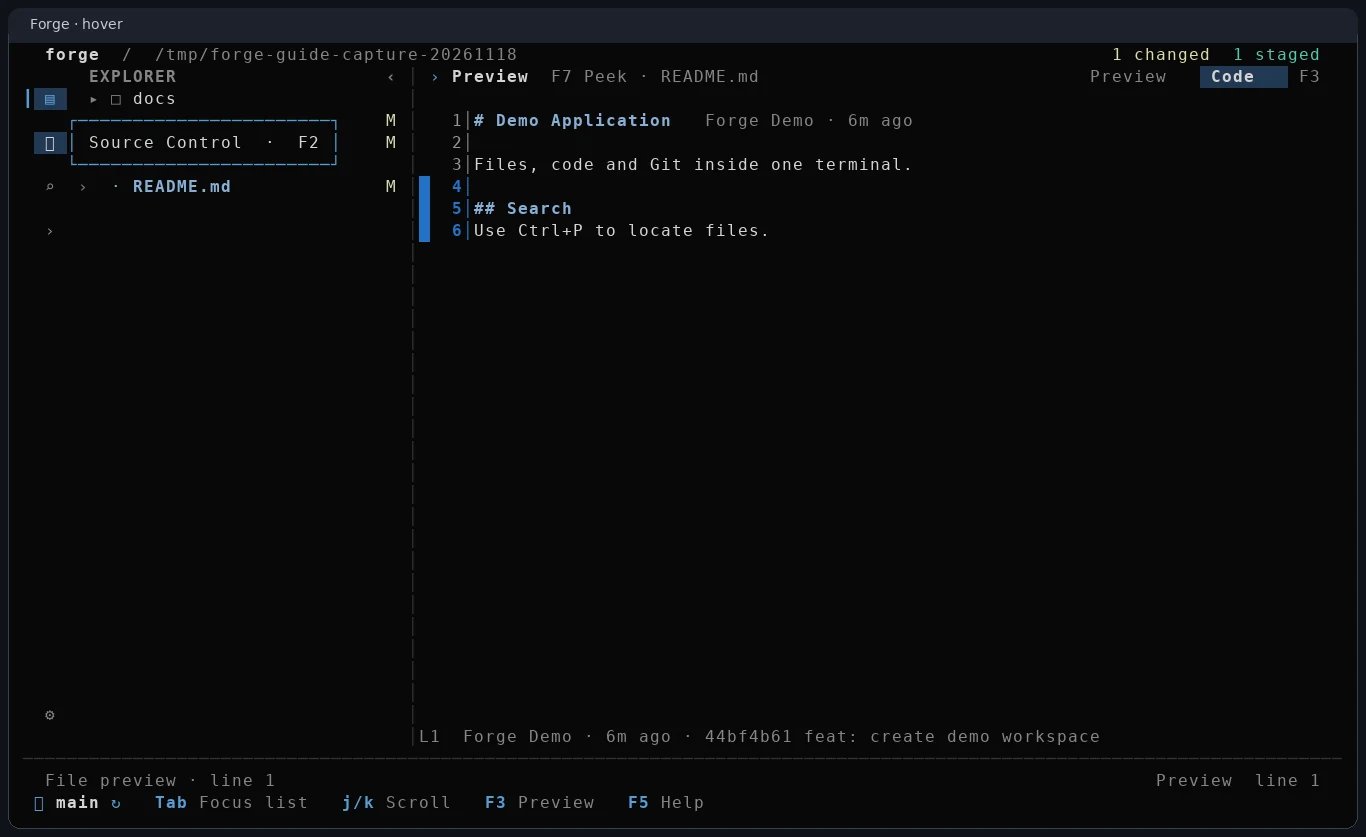
Use intuitive pointer gestures over SSH, in WSL, or locally while keeping every context-aware shortcut visible in the footer.
- Click & double-click navigation
- Right-click file & Git menus
- Draggable panes & scrollbars
- Smooth wheel scrolling in diffs
- Select & copy source or shell text
- Hover tooltips & clickable shell tabs
Up and running in seconds.
Prebuilt SHA-256 verified archives for Linux, macOS and Windows—no Rust toolchain required.
- 01 Install binary Run the official installer script or download a release archive into ~/.local/bin.
- 02 Launch in any folder Execute forge in a Git repository or plain directory to open the workspace.
- 03 Navigate & review Switch between Files, Git Diff, Search, and Shell tabs via shortcuts or mouse clicks.
Practical workflow guide.
Step-by-step documentation illustrated with 19 real Forge TUI screenshots.
Common questions.
Scope, environment requirements, safety boundaries, and customization.
How is Forge different from lazygit or ranger?
lazygit focuses on Git; ranger and yazi focus on files. Forge connects both into a single TUI workspace—file tree, syntax preview, full-file diffs, staging, and persistent shell tabs—without trying to replace your full IDE.
What do I need to run Forge?
Git and a modern terminal supporting ANSI colors, mouse reporting, and clipboard access. Prebuilt binaries target Linux (x86_64 / aarch64 glibc) and macOS (Intel / Apple Silicon); Windows works smoothly via WSL.
Do I need a Nerd Font installed?
No. Forge uses crisp built-in Unicode icons by default. You can opt into Nerd Font glyphs with FORGE_ICONS=nerd or pure ASCII with FORGE_ICONS=ascii.
Will Forge ever overwrite my repository automatically?
Write operations have strict boundaries: staging never discards working-tree edits, destructive actions (discard/delete) require explicit confirmation, and Forge never force-pushes or auto-commits merges.
Bring calm back to your terminal.
Free, MIT-licensed, and built in native Rust. Install in one command or inspect the source on GitHub.