A Terminal Workspace for Codex CLI
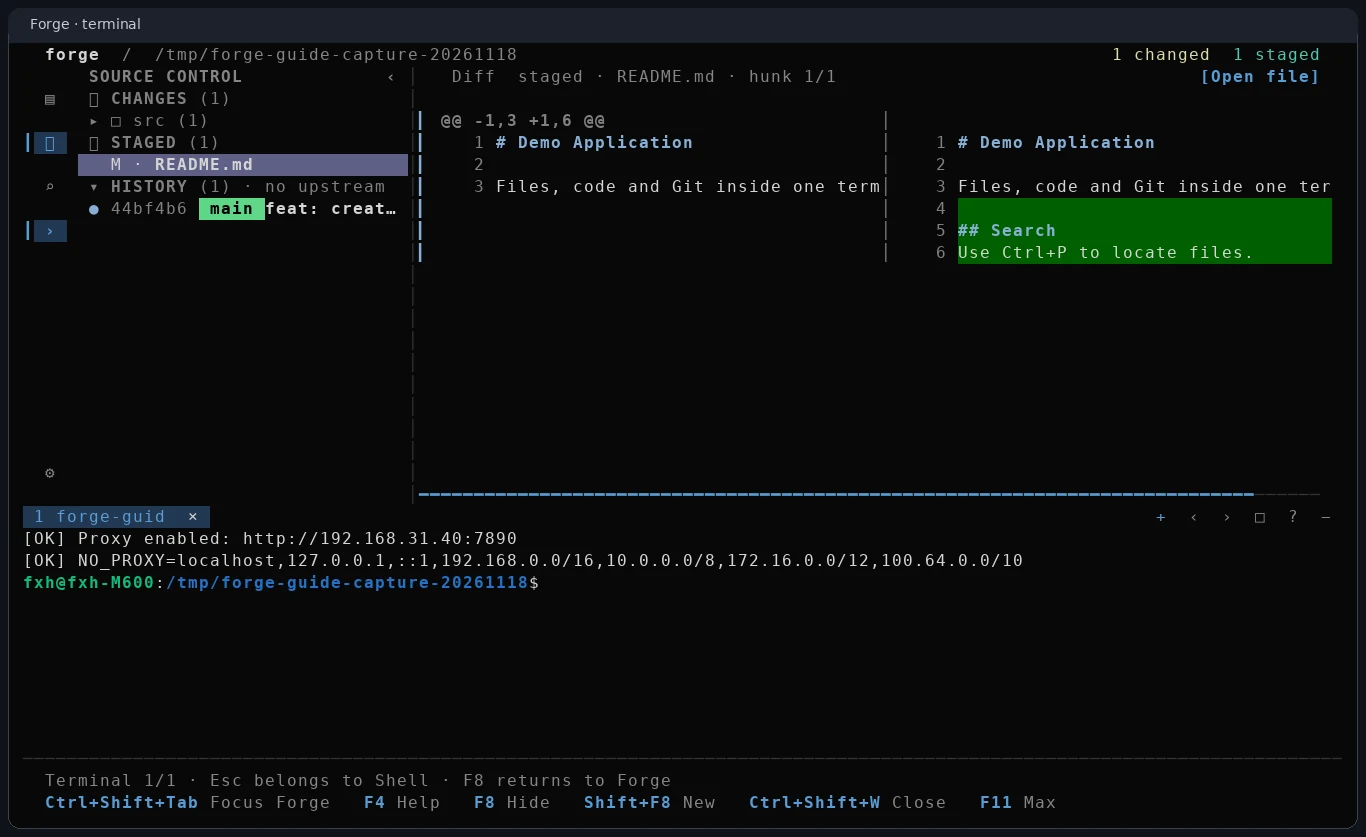
A coding agent can modify many files during a session. Forge provides a separate file and Git view alongside an embedded terminal for manual inspection.
Set up
Install Forge and Codex CLI separately. Start Forge in the target repository, open Terminal (F8 by default), and run codex if it is installed on PATH.
Review agent changes
Switch to Git (F2) to inspect modified paths and full-file diffs. Use Files or search to read surrounding code; Ctrl+R refreshes if needed. Stage only intended changes.
Validate independently
Use another shell tab for tests and lint commands. Inspect the output yourself before committing. Keep credentials and permissions under your control.
Compatibility boundary
Forge embeds a terminal, not a Codex API integration. Interactive behavior depends on the host terminal and Forge version. It does not manage Codex authentication or approvals.
Reference: Codex CLI upstream.
Get started
Explore related workflows
- Forge TUI vs Lazygit: Files and Git in One Terminal
- Forge TUI vs Yazi: Terminal File Manager and Git Workspace
- A Terminal Workspace for Claude Code | Forge TUI
- Terminal Git Client with Visual Diffs | Forge TUI
- Terminal File Manager with Mouse Support | Forge TUI
- Integrated Terminal for a Git and File Workspace | Forge TUI