Terminal File Manager with Mouse Support
Forge TUI is a repository-oriented terminal file manager for developers who want both keyboard navigation and pointer interaction.
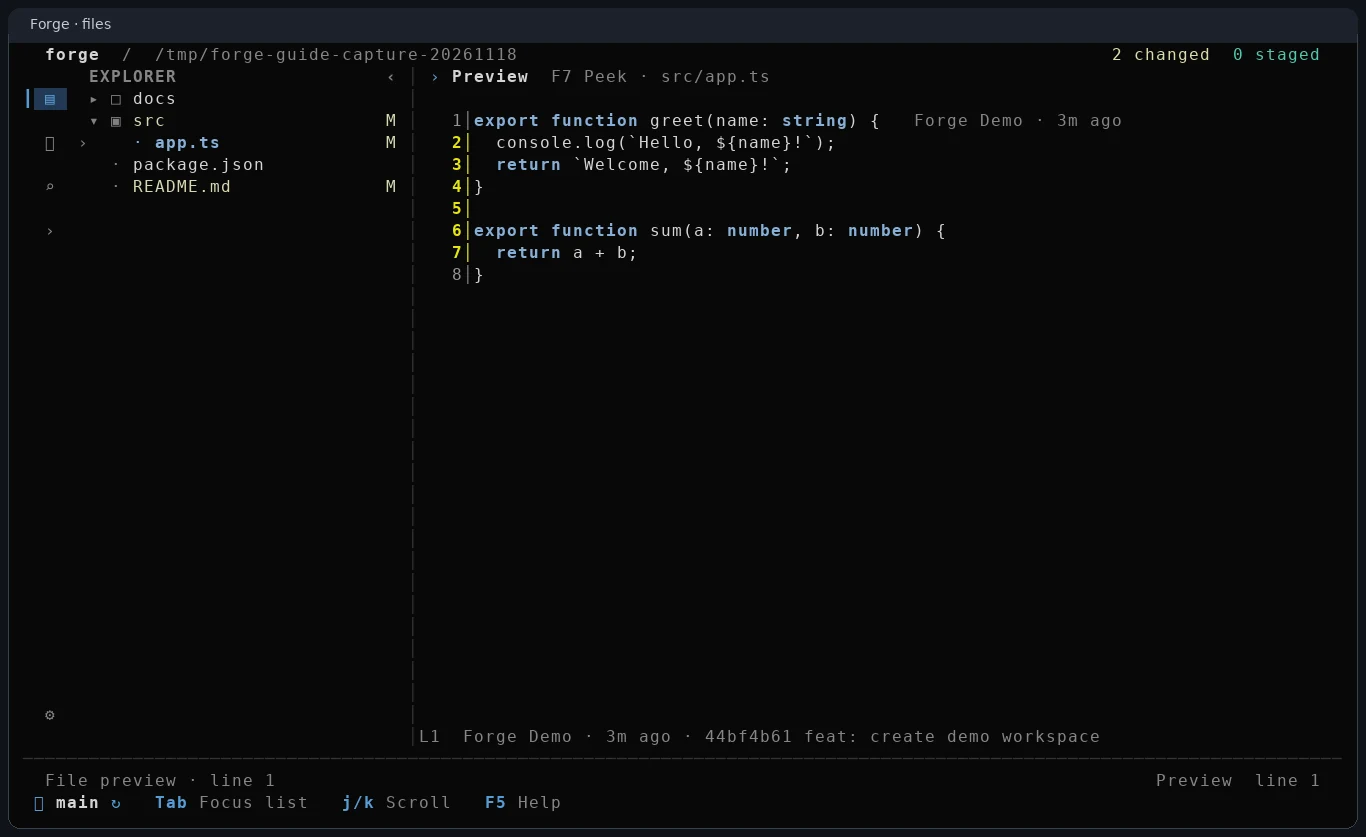
Browse and preview
Run forge in a project directory. Expand folders in the Files panel, open source files in the preview and inspect Markdown or syntax-highlighted code without launching a separate editor.
Find files and content
Use Ctrl+P for file-name search or the Search panel for content matches. Open a match at its line to inspect the relevant code.
Mouse and keyboard
Click and double-click items, open context menus, drag panel dividers and scrollbars, and scroll content. Terminal mouse support and key bindings can vary; use F4 to view effective shortcuts.
Connect files with Git
Switch to Git to inspect changes to the same repository. Forge is designed for developer workflows rather than replacing every general-purpose file manager.
Get started
Explore related workflows
- Forge TUI vs Lazygit: Files and Git in One Terminal
- Forge TUI vs Yazi: Terminal File Manager and Git Workspace
- A Terminal Workspace for Codex CLI | Forge TUI
- A Terminal Workspace for Claude Code | Forge TUI
- Terminal Git Client with Visual Diffs | Forge TUI
- Integrated Terminal for a Git and File Workspace | Forge TUI