A Terminal Workspace for Claude Code
Claude Code runs in a terminal; Forge provides surrounding project navigation and Git review, keeping the agent session and your own inspection distinct.
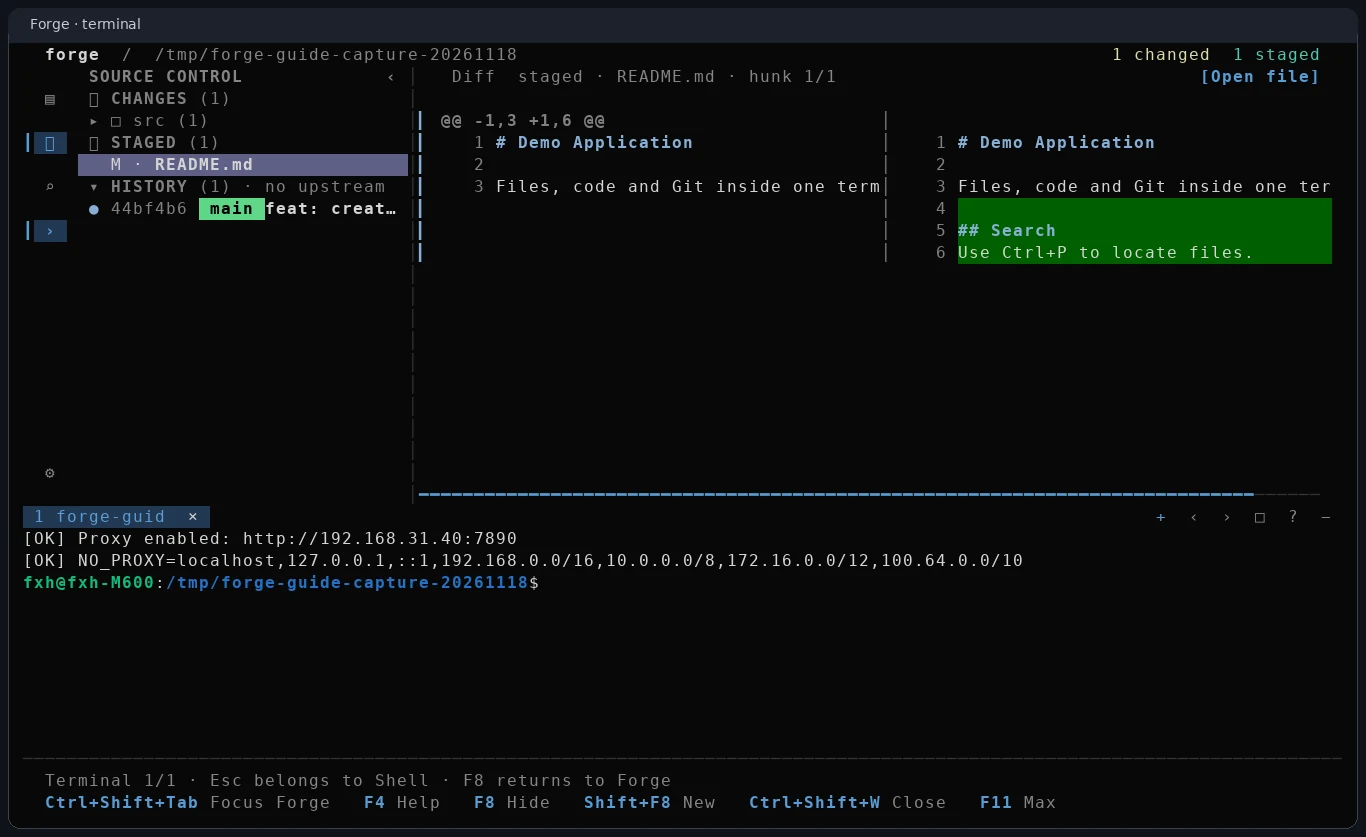
Launch in a project
Install Claude Code separately and ensure claude is on PATH. Run forge in the repository, open Terminal with F8 and launch claude. Configure authentication and permissions in Claude Code.
Inspect changes
Open Git to see changed paths and inspect full-file diffs. Use code search to find affected references. Refresh with Ctrl+R if needed; review before staging.
Run independent checks
Use another shell tab for the project test suite. Keep the agent session available while comparing results and manually reviewing uncertain changes.
No special integration required
Forge does not supply Claude Code, intercept approvals, or guarantee compatibility with every terminal feature. It is a local file, Git and terminal workspace.
Reference: Claude Code upstream.
Get started
Explore related workflows
- Forge TUI vs Lazygit: Files and Git in One Terminal
- Forge TUI vs Yazi: Terminal File Manager and Git Workspace
- A Terminal Workspace for Codex CLI | Forge TUI
- Terminal Git Client with Visual Diffs | Forge TUI
- Terminal File Manager with Mouse Support | Forge TUI
- Integrated Terminal for a Git and File Workspace | Forge TUI