Forge TUI vs Lazygit: Files and Git in One Terminal
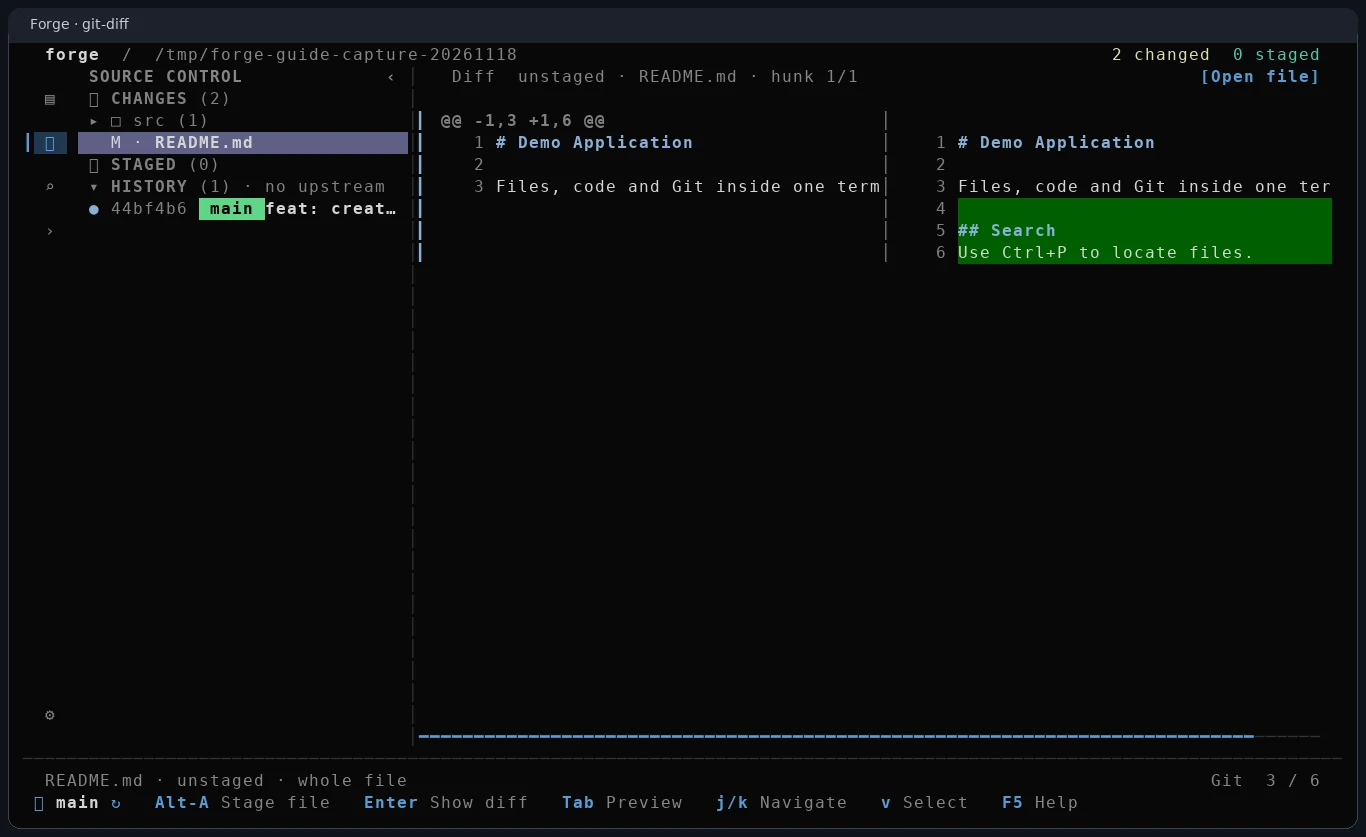
Lazygit is a dedicated Git interface. Forge TUI combines Git with a file tree, code preview, search and an embedded terminal.
When to choose Lazygit
If your editor and file navigation already work well, Lazygit is a focused interface for Git operations. Its Git-specific workflows may be more familiar to experienced users.
When to choose Forge
If you repeatedly move from a changed file to related source files, Forge lets you browse the tree, search for references, inspect full-file context and stage changes in one workspace.
Try a review workflow
Launch forge in a repository. Open Git with F2, inspect a changed file, switch to Files with F1 to read related code, then return to Git to stage and commit. Open the terminal with F8 to run tests. Check F4 for effective shortcuts.
Limits
Forge is not a drop-in clone of Lazygit and does not promise parity for advanced Git operations. The Git CLI remains available.
Reference: Lazygit upstream.
Get started
Explore related workflows
- Forge TUI vs Yazi: Terminal File Manager and Git Workspace
- A Terminal Workspace for Codex CLI | Forge TUI
- A Terminal Workspace for Claude Code | Forge TUI
- Terminal Git Client with Visual Diffs | Forge TUI
- Terminal File Manager with Mouse Support | Forge TUI
- Integrated Terminal for a Git and File Workspace | Forge TUI